Stargazing with your phone
Point at the sky.
Know what you see.
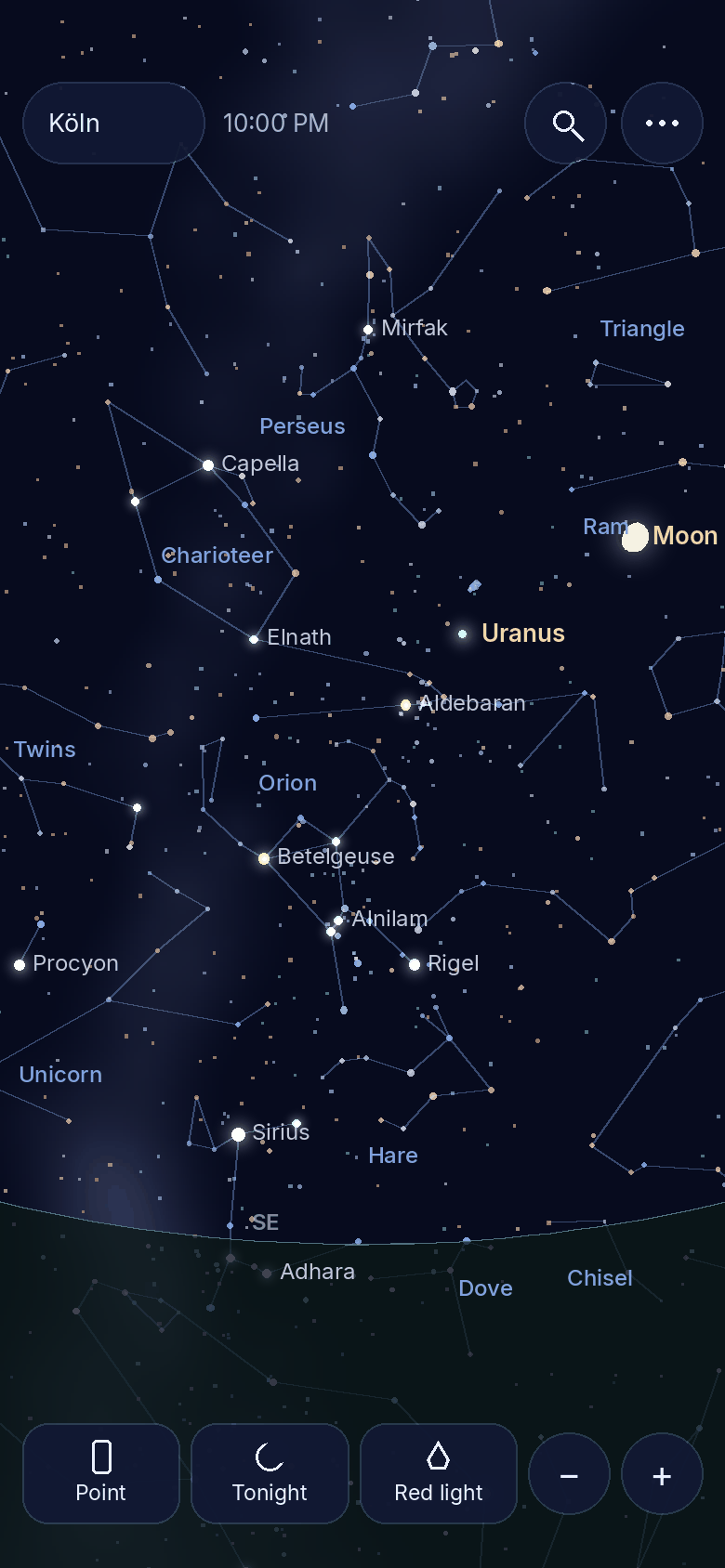
Hold your phone up and Starinfos shows what is in that exact spot: constellations, stars, planets and the Moon, live for where you are standing.
Free, right now, no install. Best on your phone.

- Free in the browser
- No account, no ads
- Works offline
Coming soon to Google Play.
Coming soon to the App Store.
Tap anything
Every dot has a story.
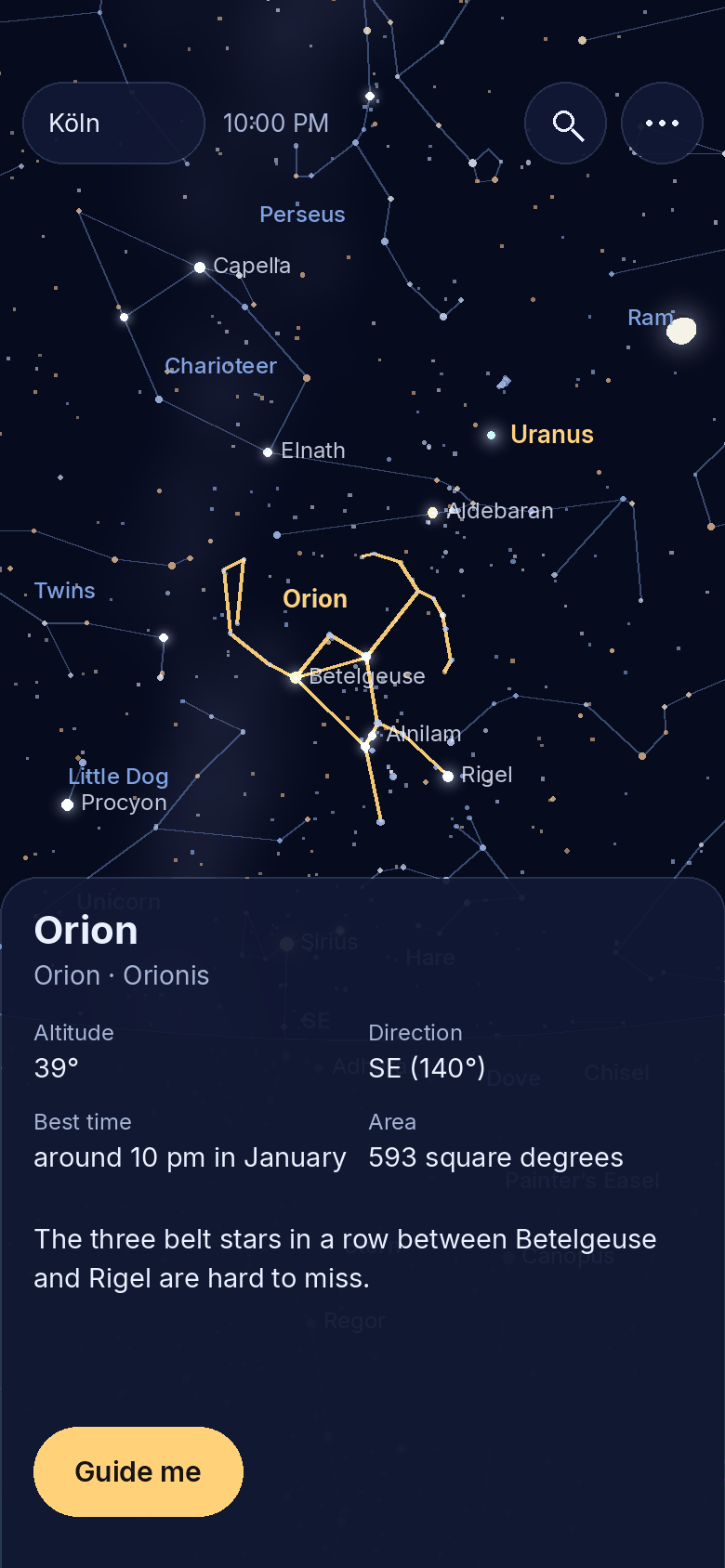
Tap a star or constellation to see its name, how high it stands right now, when it rises and sets, and the story behind it.
All 88 constellations come with their lines, the best time of year to see them and how to find them.
Search
Where is Jupiter?
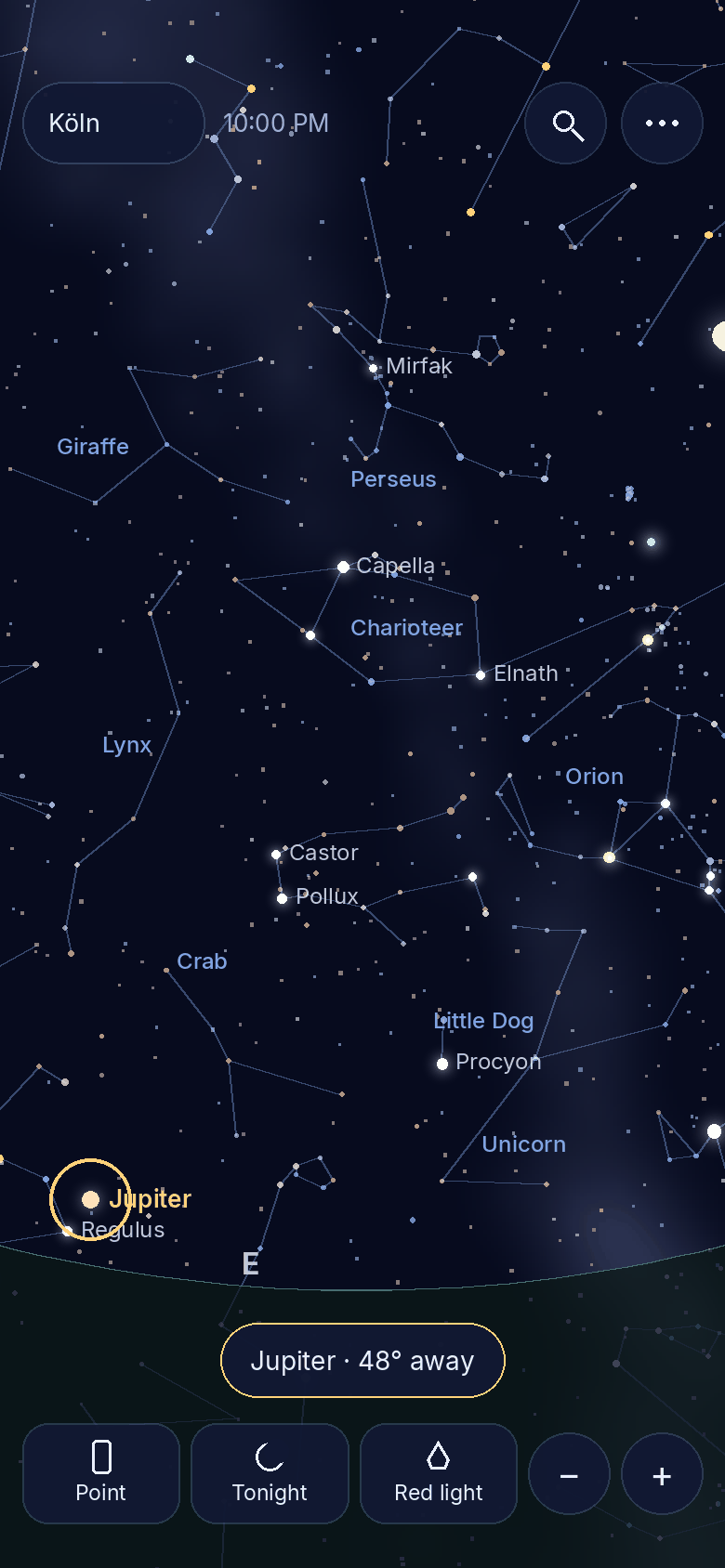
Search for a planet, star or constellation. An arrow leads you there, and the target gets a ring as soon as it is on screen.
If the target is below the horizon right now, Starinfos tells you, so you do not search in vain.
Your compass is not perfect.
So we say so.
Star positions are calculated to within a few arcminutes. Phone compasses can be off by several degrees, so a short swipe lets you line up the sky by hand.
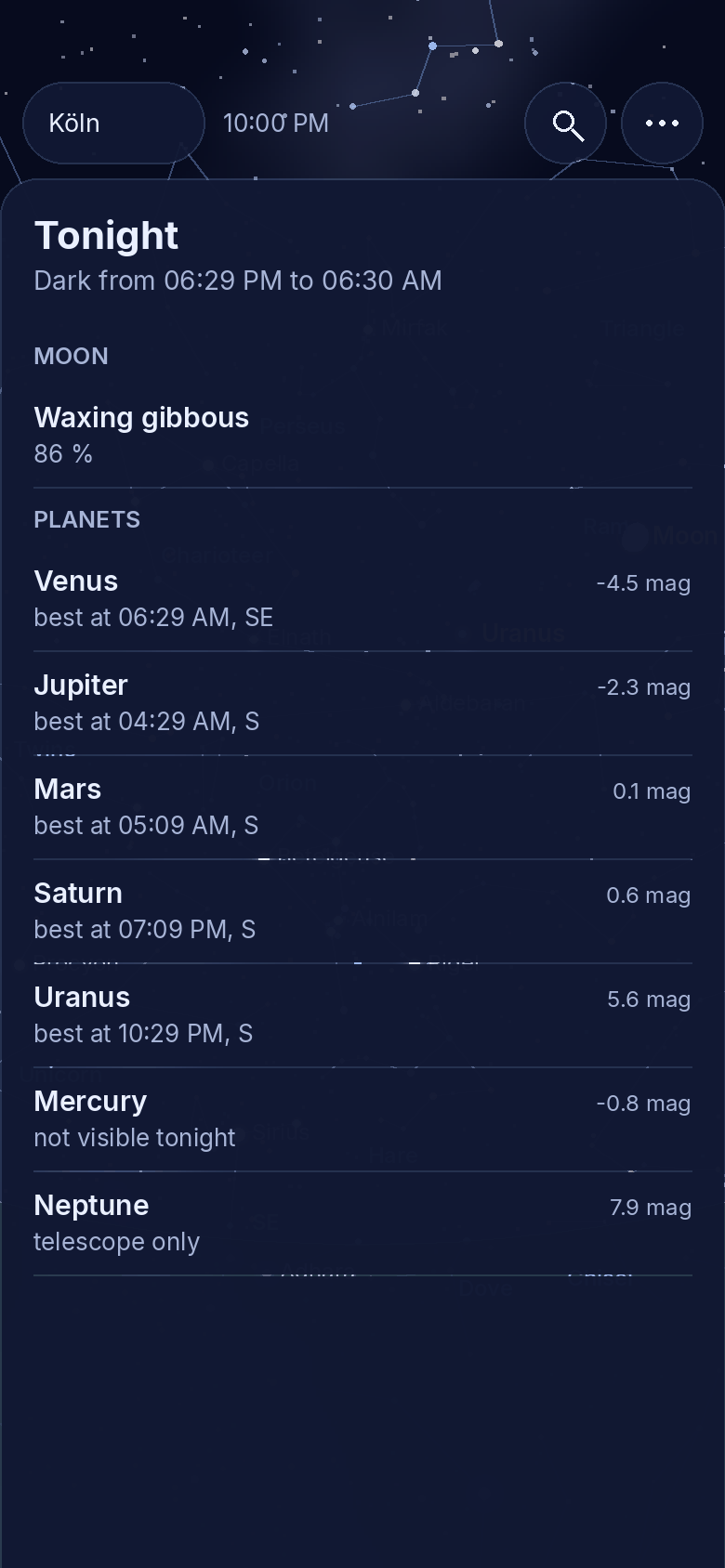
Tonight
Worth going outside?
When it gets dark, what phase the Moon is in, and at what time and in which direction each planet is best placed tonight.
Calculated for your location, on your device. It knows nothing about clouds, so a look out of the window is still needed.
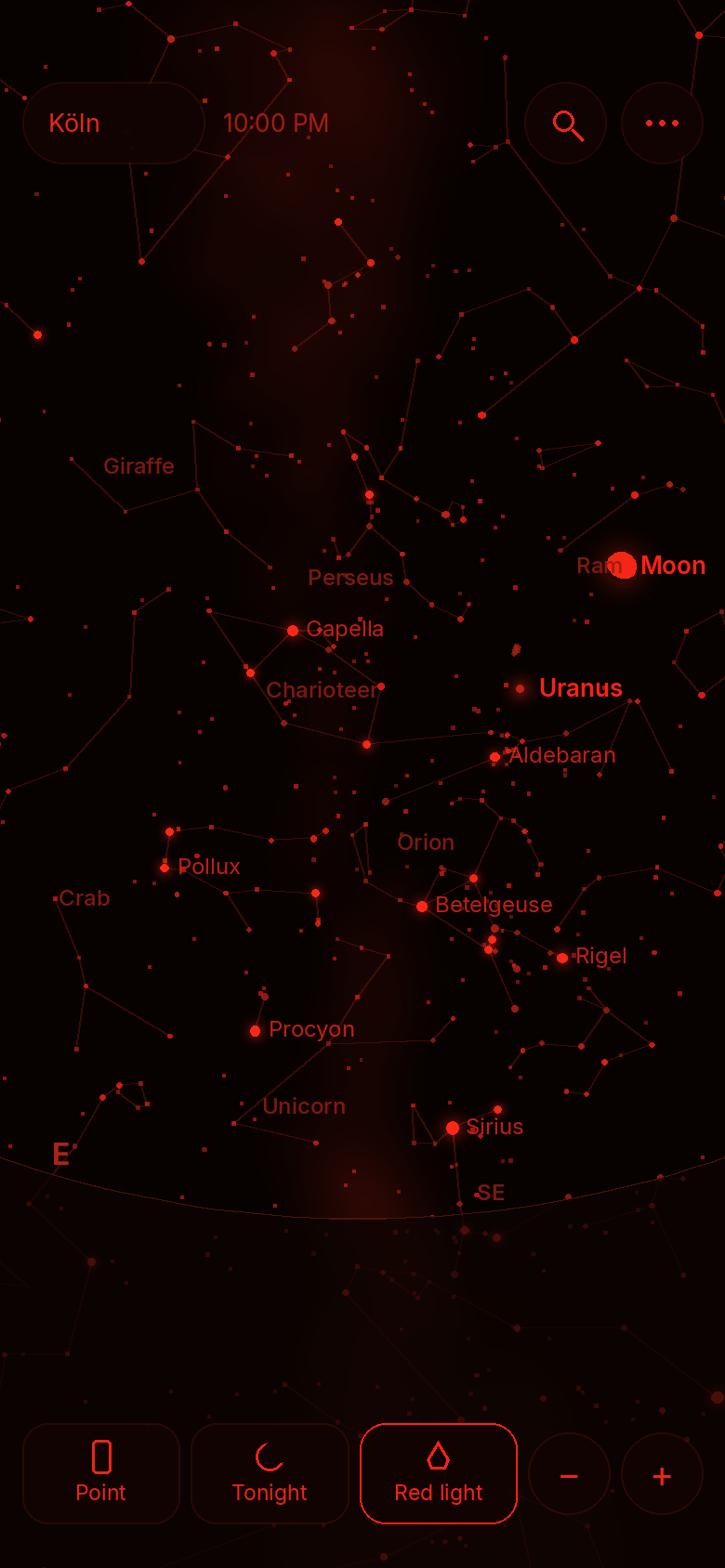
Red light
Keep your night vision.
One tap turns everything red, including the buttons. Your eyes stay adapted to the dark and you keep seeing faint stars.
Your phone’s brightness stays under your control: turn it down as well for the best effect.
The difference
From “some bright star” to “that’s Vega”.
- Guessing which star that isPoint your phone and read the name
- Turning a paper star chart in the darkThe sky turns with your phone
- Looking for a planet in the wrong placeAn arrow leads you to it
- A bright screen ruins your night visionRed light at the tap of a button
- No signal out in the fieldThe whole sky is stored on your device
And the little things.
See through the ground
Point your phone down and see the stars below the horizon, shown behind a dark tint.
Sun, Moon, planets
All live, with the correct Moon phase, brightness and rise and set times.
Milky Way
The band of the Milky Way runs through the view as a soft guide across the sky.
Compass help
Tips for calibrating, and a swipe to correct the direction by hand.
Planner · Pro
In the app: 30 days ahead, with meteor showers, plus sky grids and constellation borders.
Time travel · Pro
In the app: move time freely and see the sky of any evening, plus 110 Messier objects.
Quick questions.
Who is Starinfos for?
What does Starinfos cost?
How does Starinfos make money?
What is the difference between the browser and the app?
How accurate is it?
Why does the sky not move on my phone?
What happens to my location?
Do I need internet?
Does Starinfos do horoscopes? Which languages?
Clear sky tonight?
Open Starinfos and step outside.
Coming soon to Google Play.
Coming soon to the App Store.
Free in the browser · App for Android & iPhone coming soon